
How To Enhance Bass and Clarity on Mac Speakers
Enhance bass on a Mac with simple tips that will help you enjoy music, movies, and games in a better way.


We hope you enjoy these new features! Please feel free to reach out to us at boom3@globaldelight.com with feedback and suggestions for future updates!
Everything you watch, listen to, or play, comes to life with Boom 3D.


Boom 3D for Mac & Windows is an award-winning pro audio enhancement app designed to play your media content with incredible 3D effects on ANY headphones, from any player, any media, or streaming services. You would not need expensive headphones or surround sound boosters to feel your music!
All your movies in 3D surround without any expensive hardware or speaker boosters. From a distant whisper to a gunshot, Boom 3D captures every detail, in all its crispness and clarity.




Boom’s 3D surround sound converts your desktop to a music booster, giving new life to your music, bringing clarity and deep bass to every note, just like a bass booster would or an artist intended for their music to be heard.



All your movies in 3D surround without any expensive hardware or speaker boosters. From a distant whisper to a gunshot, Boom 3D captures every detail, in all its crispness and clarity.

Boom’s 3D surround sound converts your desktop to a music booster, giving new life to your music, bringing clarity and deep bass to every note, just like a bass booster would or an artist intended for their music to be heard.

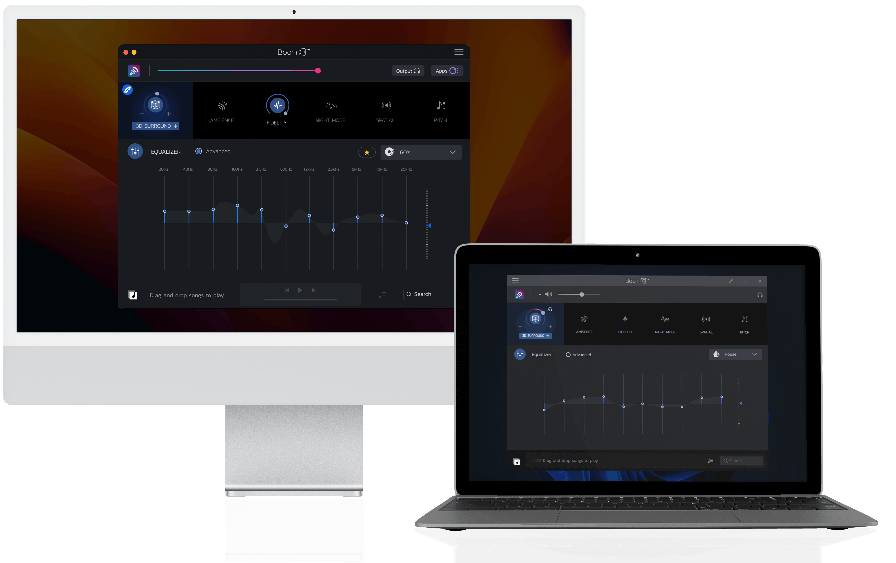
Get more immersive and dynamic listening experience with 5.1 surround sound support in Boom 3D Mac.

Use headphones for a better experience.
5.1 Surround
Stereo
Immerse yourself in an unforgettable audio experience with 5.1 multichannel audio support.
It’s time to feel the realistic vibe of your audio!


Tweak your system-wide audio with Boom's world-class audio enhancement features

Experience movies, games, and music with 3D Surround technology that offers a mind-blowing virtual surround sound without any special headphones or expensive surround sound boosters to turn up the volume.

An advanced 31-band equalizer for precise audio tuning. Boom 3D for Mac & Windows also provides a range of presets carefully handcrafted to match different genres and individual tastes of listening.

Boom 3D for Mac is a system-wide volume booster that safely increases the volume beyond its regular limits to deliver an intense and rich audio experience without any compromise on audio quality.

Boom 3D allows you to manage individual application audio levels & volumes and seamlessly have an uninterrupted movie/game/music experience.

Play your locally stored songs with unbeatable Boom effects with our full-fledged audio player and create playlists to organize your music collections, just like your very own personal music player app.

Join Boom to enjoy free access to more than 20k local and international internet radio stations across 120 countries.










 Mac
Mac  Windows
Enhance bass on a Mac with simple tips that will help you enjoy music, movies, and games in a better way.
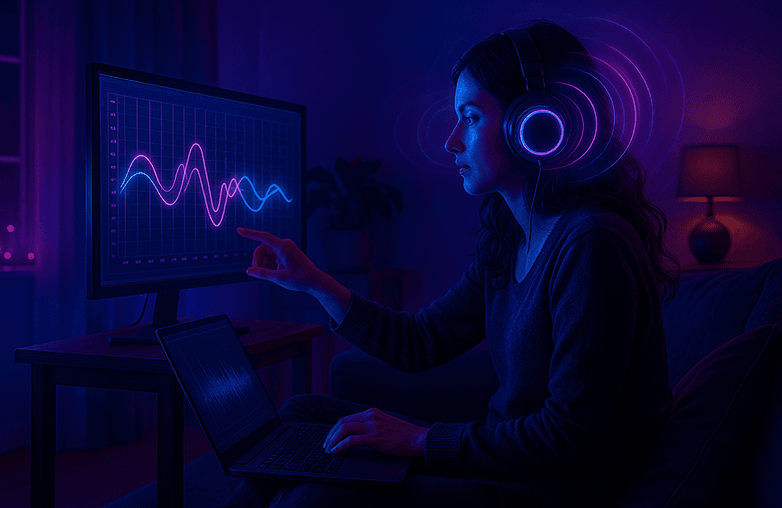
How to use EQ to fine-tune your audio and overcome the effects of poor room acoustics for a richer listening experience. Learn simple tips in this blog.

How a 31-band equalizer enhances music, movies, and gaming by fine-tuning every frequency for crystal-clear, balanced audio.

Parametric EQ vs Graphic EQ help you shape sound in different ways. Read on to learn how they work, when to use each one, and which EQ is best for you.

3D surround sound is an audio experience that truly immerses you. It offers a rich, immersive sound experience similar to that of a movie theater.

Upgrade your gaming audio with Boom 3D. Enjoy 3D surround sound, 31-band equalizer, preamp, and headphone EQ on any headphones. Free 30-day trial available!
Boom 3D is an audio enhancement app that provides immersive 3D surround sound, volume boosting up to 8x, customizable equalizer presets, and a built-in media player for system-wide or app-specific audio improvement.
It supports Windows 10/11, macOS 10.13+, iOS 12.0+, and Android 7.0+; check specific versions for optimal performance.
Download Boom 3D, run the installer, and separately install the Boom Audio Engine from the app or settings; select Boom as your system output device afterward.
Log in with your Boom account to activate the license; retrieve your code from the account dashboard if needed, then restart the app.
Verify Boom is selected as the output device, restart audio services or the app, and check volume sliders; uninstall/reinstall the driver if issues persist.
One license activates on up to 4 devices across platforms; manage via your Boom account profile.
In the app, go to the 3D Surround tab, drag virtual speakers to match your setup (e.g., 5.1 or 7.1), and adjust intensity sliders.
Yes, access the Equalizer tab, tweak sliders for frequencies, save as a custom preset, and apply to specific apps or system-wide.
Open the player tab, import local files (MP3, FLAC, etc.), create playlists, enable shuffle/repeat, or tune into radio stations with full effects applied.
Quit the app, remove it via Add/Remove Programs (Windows) or Applications folder (Mac), then uninstall the audio engine/driver from the help menu or control panel.

Download Boom 3D for older versions of macOS